Photography note
Travel Photography Captions: A Practical Field-to-Web Guide
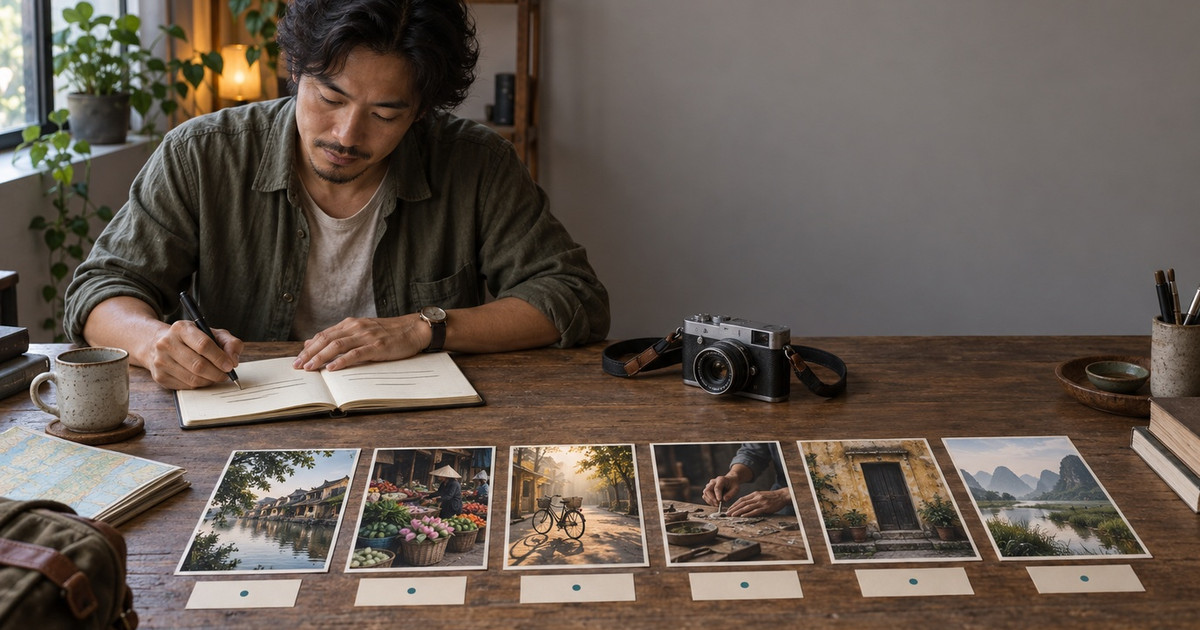
Write travel photography captions that preserve names, place, time, context, consent, and credit from the field through web publication.
Data accurate as of September 2026 based on market research
Introduction
Good travel photography captions record what a viewer cannot safely infer from the frame. Start with verified names, place, date, and action. Add only the context that helps the reader understand the photograph. Keep credit, rights, accessibility text, and sensitive location decisions in separate fields rather than forcing one caption to do every job.
Contents
Truth Box
Give each text field one job
Collect caption facts in the field
Write the caption in two passes
Move verified details into photo metadata
Publish captions, alt text, and credit correctly
Compare caption approaches
Protect context, consent, and sensitive locations
Common misconceptions
FAQ
Sources
Conclusion
Truth Box
| Key point | Practical meaning |
|---|---|
| Capture facts before prose | Record names, spellings, place, date, action, and permission while the memory is fresh. |
| A caption is not alt text | The visible caption adds context. Alt text conveys the image's purpose or essential visual information. |
| Do not infer emotion | Describe observable action and verified context instead of guessing what a person feels. |
| Metadata needs a final-file check | A catalog entry is not proof that the exported or uploaded image still contains the intended fields. |
| Some details should stay private | Exact locations and identities may need to be withheld when disclosure could expose a person, animal, or fragile place. |
Give each text field one job
IPTC defines its Description field as a textual description, including captions, of an image. Its user guide says this field may describe who, what, where, when, and why. The same guide distinguishes it from Alt Text for Accessibility, which is intended for assistive technology and may not be visible on the page.[1][2]
| Field | Main job | Example use |
|---|---|---|
| Visible caption | Add verified context | Name the craft, place, date, or reason the moment matters |
| Alt text | Convey information or function | Describe essential visual content in the page context |
| Title or headline | Give a short identifier | Name a frame in an archive |
| Credit line | Identify the photographer or provider | Place a clear credit beside the image |
| IPTC metadata | Carry information with a file | Store creator, description, rights, and location fields |
Collect caption facts in the field
Make a caption record when a frame may enter a portfolio, photo essay, publication, or client delivery. Link the note to the filename or capture time.
| Field note | What to capture |
|---|---|
| Subject | Correct name, spelling, role, and preferred identification |
| Action | What is happening, using observable language |
| Place | Venue, street, village, city, region, and country as needed |
| Time | Exact date or an honest broader period |
| Context | Why the action or place matters, with a source when required |
| Photographer influence | Whether the subject was posed, moved, directed, or asked to repeat an action |
| Permission and limits | What was agreed, intended use, and any request not to identify or geotag |
IJNet recommends identifying people and locations, checking spellings, including the date, and adding concise background.[3] World Press Photo requires accurate captions and disclosure when a photographer influences a scene or directs a portrait.[4] NPPA requires accurate captions, prohibits setting up or reenacting events, and permits constructed portraits or formal interviews only when identified as such.[5]
Write the caption in two passes
Write the first sentence from the photograph and your field record. Identify the subject, action, and place. Add the date when timing matters. Write a second sentence only when it supplies useful context.
A sample working caption could read:
A bicycle courier crosses a riverside lane in Hoi An, Vietnam, as shops open in the morning. The frame belongs to a sequence about deliveries before the pedestrian streets become busy.
This is a writing example, not a real assignment. Avoid phrases such as “a person is pictured.” Chico State and IJNet recommend adding information rather than restating the obvious.[3][6] Avoid guessed emotions, unverified occupations, and broad cultural claims. Personal albums can keep honest sensory details.[7] For public portfolio captions, keep memory, observation, and sourced fact distinct.
Move verified details into photo metadata
Add stable information before export. IPTC groups photo metadata into descriptive, administrative, and rights-related properties.[2] It also distinguishes where an image was created from the location shown in it.[1]
Adobe says Lightroom Classic supports IPTC fields and uses XMP to exchange metadata. Proprietary camera raw files can use sidecars, while supported formats such as JPEG, TIFF, PSD, and DNG can store metadata in the file.[8] Check the final derivative with a metadata viewer or ExifTool.
Embedded metadata can support attribution. Check the applicable license or assignment for any separate credit requirement. Google Images may display IPTC creator, credit, and copyright fields when present.[9]
Publish captions, alt text, and credit correctly
Use a standard HTML image element. Google can discover images through an img element's src attribute but does not index CSS background images.[10]
Write alt text for the image's purpose on that page. W3C says informative images need a text alternative, while decorative images should use a null alt value.[11] The Australian Government Style Manual separates alt text, captions, and titles and advises against unnecessary repetition.[12]
Keep the credit beside the image and follow the license or assignment terms. Boston University recommends placing digital photo credit after the caption.[13]
Compare caption approaches
| Use | Best caption approach | Main risk |
|---|---|---|
| Personal travel album | Specific memory, place, people, and small sensory detail | A vague caption becomes meaningless later |
| Portfolio image | Short verified context that supports the visual idea | Poetic copy replaces factual identification |
| Photo essay | Consistent captions that add names, action, place, and sequence context | Every caption repeats the introduction |
| Editorial delivery | Publication format with checked names, dates, source attribution, and disclosures | Missing facts slow review or create a false claim |
| Social post | Brief context suited to the platform and audience | A generic quote erases what made the moment specific |
A field-to-web workflow preserves enough accurate information to publish an image responsibly months or years later.
Protect context, consent, and sensitive locations
A complete note is not always a public caption. NANPA gives the example of withholding a nesting owl's location to reduce disturbance.[14] Apply the same safety check to people, homes, workplaces, and fragile sites. State when a portrait was posed or directed if that changes how viewers interpret it.
Common misconceptions
The camera already records everything important
Use EXIF for camera and capture details, not as a substitute for a field caption record.[8]
The caption and alt text should be identical
They serve different readers and situations. Keep them consistent, but write each one for its job.
Embedded copyright metadata prevents misuse
Treat metadata as rights information, not enforcement. The IPTC guide warns that some DAM, CMS, CDN, and image-processing tools may strip fields.[9]
FAQ
What should a travel photography caption include?
Include verified subject, action, place, and date when relevant. Add one short sentence of context only if it helps the reader understand the image.
How long should a travel photo caption be?
There is no universal length. One or two concise sentences often work for editorial use, while a personal album may need a little more memory and context.[3]
Should I add camera settings to every caption?
Only when the audience or publication needs them. Keep routine technical data in metadata rather than making every public caption a gear note.
What is the difference between a caption and alt text?
A caption is visible editorial context. Alt text conveys the essential information or function of an image when it cannot be seen.
Should travel photos include exact locations?
Not always. Withhold or generalize a location when precision could expose a person, private place, wildlife subject, or fragile environment.
Sources
[1] IPTC Photo Metadata User Guide
[2] IPTC Photo Metadata Standard 2025.1
[3] International Journalists' Network, Writing photo captions
[4] World Press Photo, 2026 caption guidance
[5] NPPA Best of Photojournalism 2026 technical guidelines
[6] Chico State, Writing Photo Captions
[7] Popsa, How to Write Travel Photo Captions That Feel Meaningful
[8] Adobe, Metadata basics and actions in Lightroom Classic
[9] IPTC, Quick guide to IPTC Photo Metadata on Google Images
[10] Google Search Central, Image SEO best practices
[11] W3C Web Accessibility Initiative, Images Tutorial
[12] Australian Government Style Manual, Alt text, captions and titles for images
[13] Boston University, Photo Captions and Credits
[14] NANPA, How to Write Captions for Your Photos
Conclusion
Record the facts while you shoot, separate caption work from alt text and credit, and verify the final exported file. For a longer visual story, use the travel photo essay structure guide. For web delivery, check the image SEO guide for photography portfolio pages.
Browse the Nguyen LNP Photography gallery or contact [email protected] for photography, visual storytelling, or lightweight portfolio presentation work.
Need help applying this?
See the related service page: Nguyen LNP photography portfolio or email [email protected].